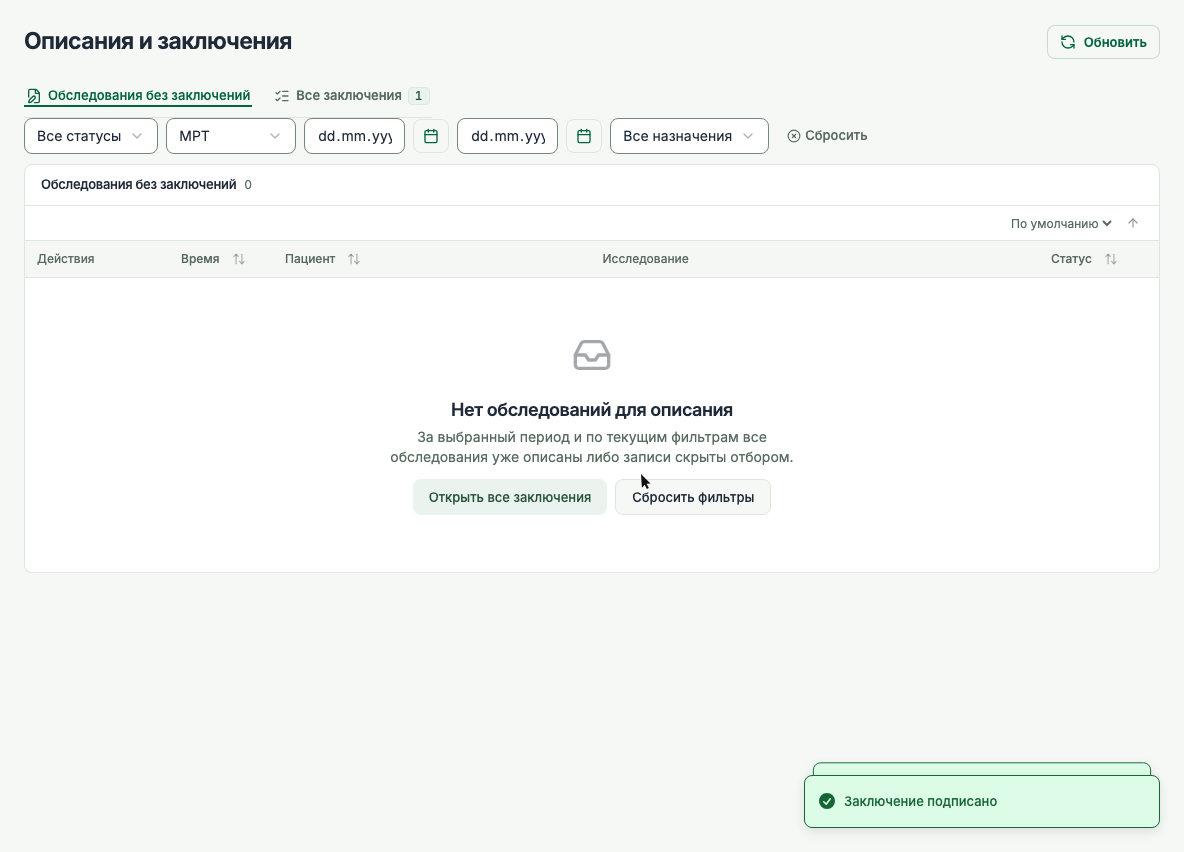
Which scans need more appointment slots?
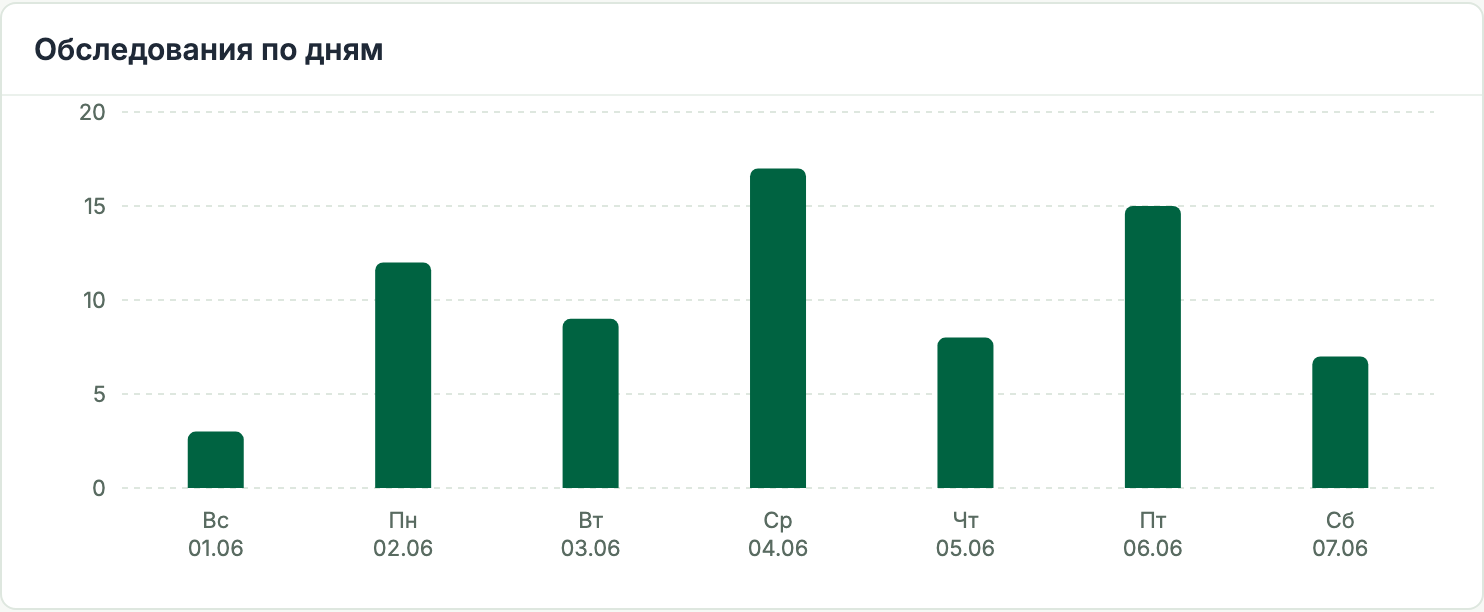
Compare the procedures booked at your clinic over several weeks. If demand for a particular scan stays high, reserve more time for it when you draw up the next schedule.

 Berezka
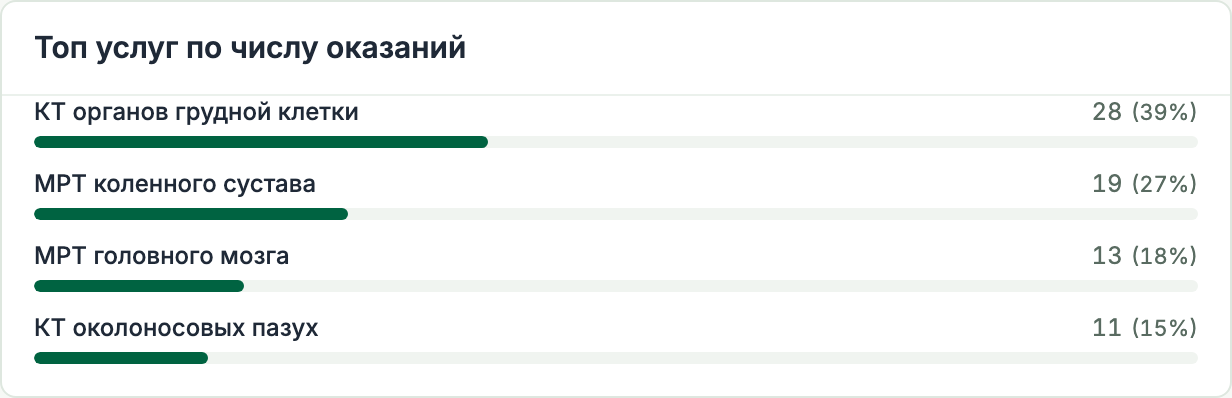
Reception books an MRI or CT visit in Berezka. The technologist picks up the order at the connected scanner without retyping patient details. When the radiologist writes the report, earlier studies are there for comparison.
When a patient needs two scans, reception books them together. The schedule shows when the room will be free and whether the next appointment fits. Staff can also block out time for scanner calibration.
Reception can quote a fee for the whole visit. Berezka adds up the procedures and applies a discount, an agreed fee or a waiver for a charity visit.
At a follow-up, the radiologist can compare today’s findings with the previous report. A scanned referral or discharge summary from another clinic stays in the record for future visits.
If a patient has two records, staff can review the examinations and reports before merging them. On the next visit, the radiologist can follow the history in one place.
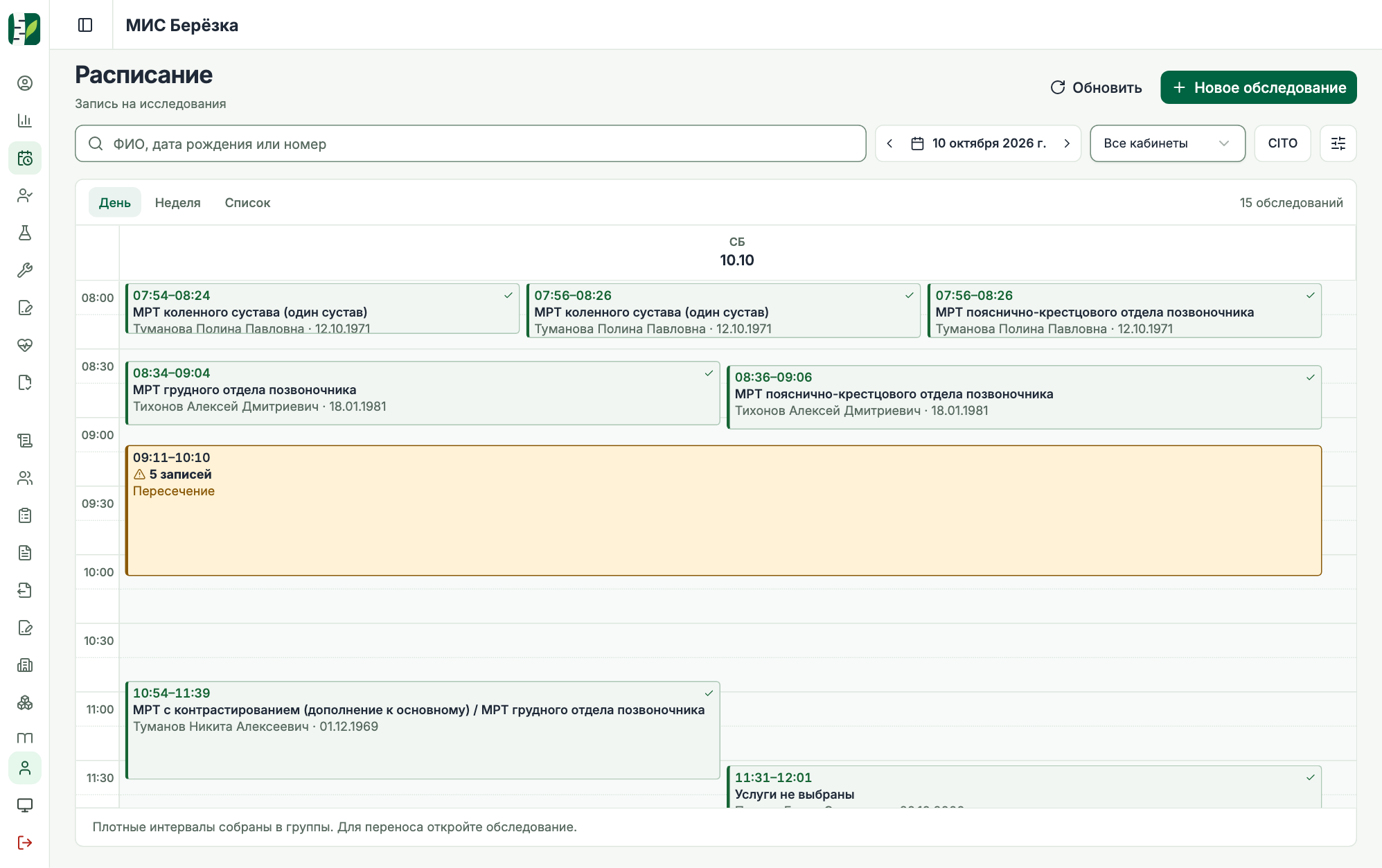
Reception can give the patient a contract and a contrast consent form at check-in. The selected forms already contain the patient details, procedures and fees.
If the patient asks for a copy later, reception can reprint the agreement as issued, even if the clinic has since updated its template.
From the room’s worklist, the technologist can check the order, patient history and contrast details. Urgent cases are flagged. At a connected scanner, the order is ready to select from the DICOM Modality Worklist.
With PACS connected, staff open the images directly from the worklist. To share a study with a colleague, an authorised user can download its DICOM files in a single ZIP.
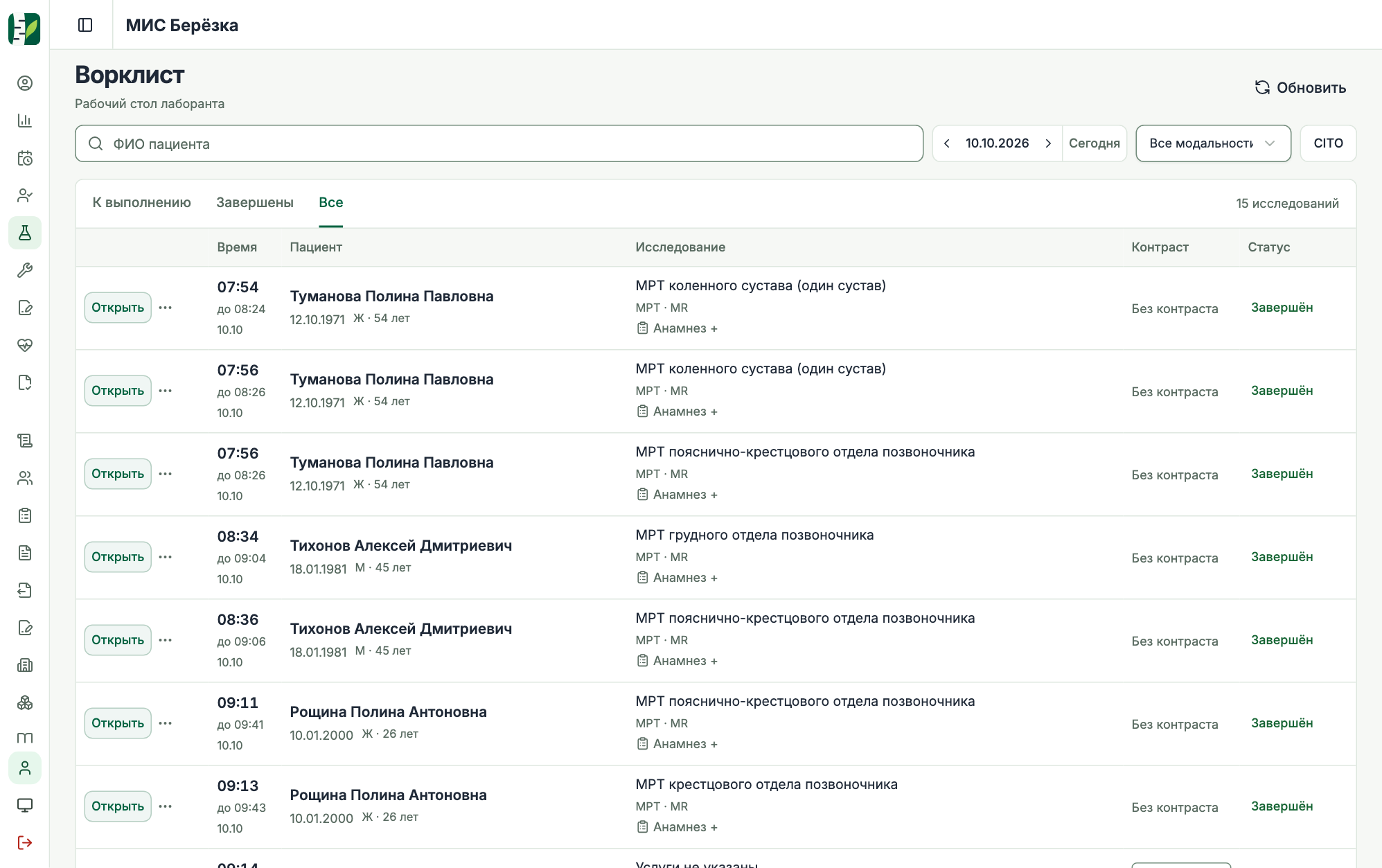
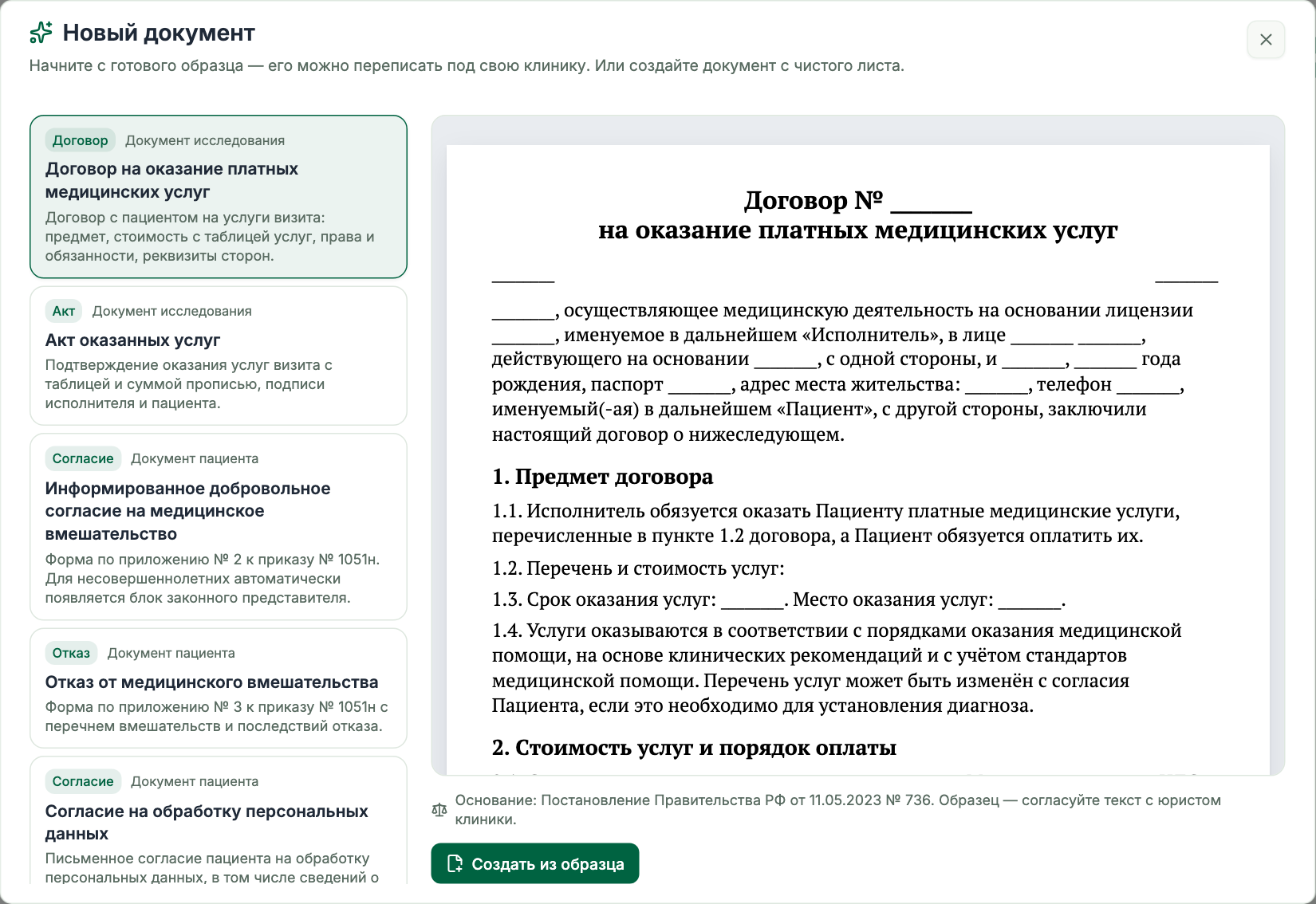
The radiologist starts with a template for the ordered scan. If interrupted, they can pick up from the saved draft. Once signed, the report is ready to print on clinic letterhead.
When amending a signed report, the radiologist records the reason. Both the original and the amendment remain available in the patient record.
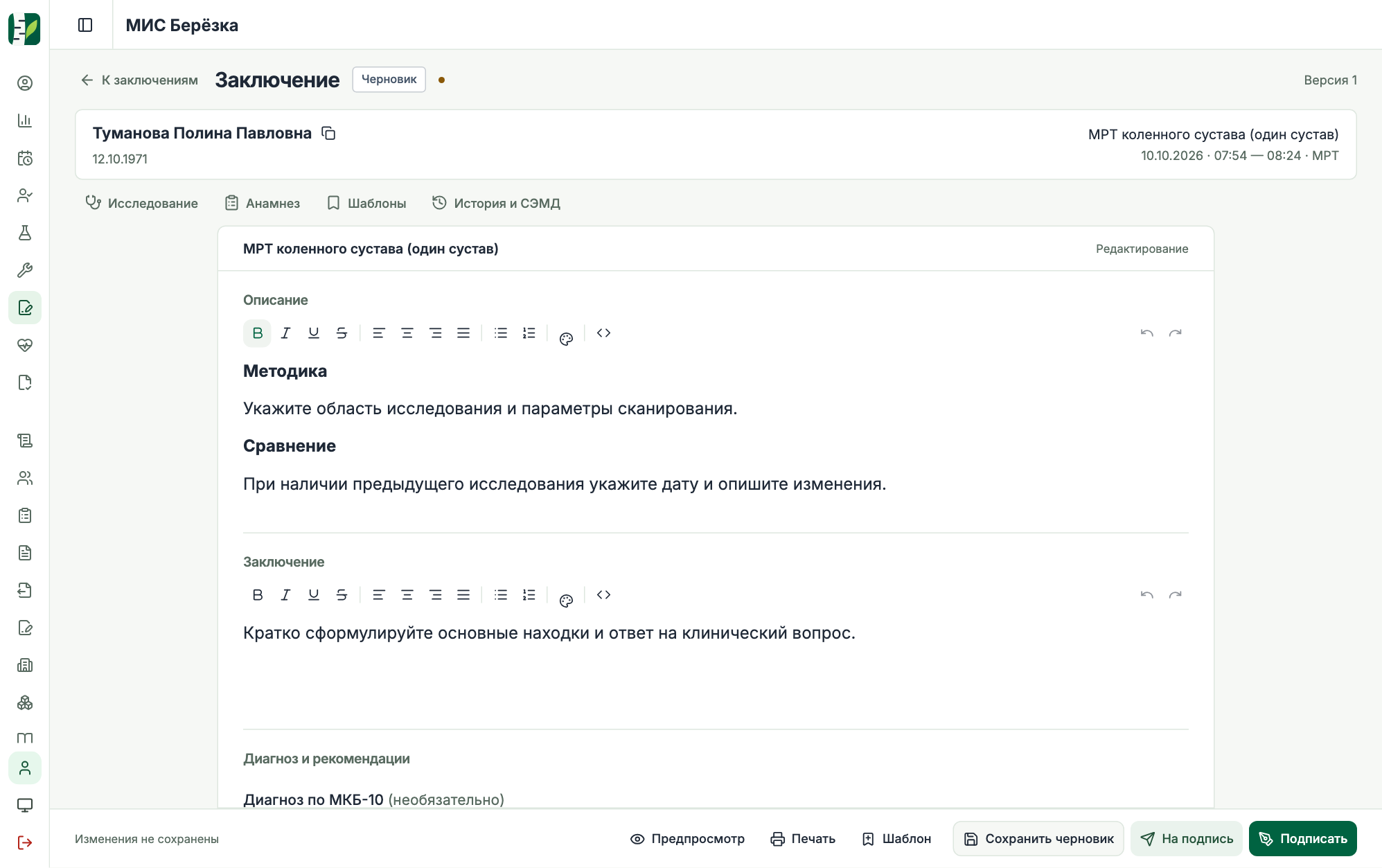
With the electronic document module enabled, the radiologist can check a structured examination report for missing details and fill them in before signing.
After the radiologist and clinic sign, the configured operator submits the report to REMD. Staff can check the registration number or see why the registry rejected it.
Stockroom staff record the lot and expiry date on delivery. The technologist enters the volume administered. Once the scan is complete, the ledger shows which lot supplied the vials.
For a 20 mL vial, the ledger can show 15 mL administered and 5 mL discarded. A later correction updates the stock movements. Staff can export the ledger to CSV for reconciliation.
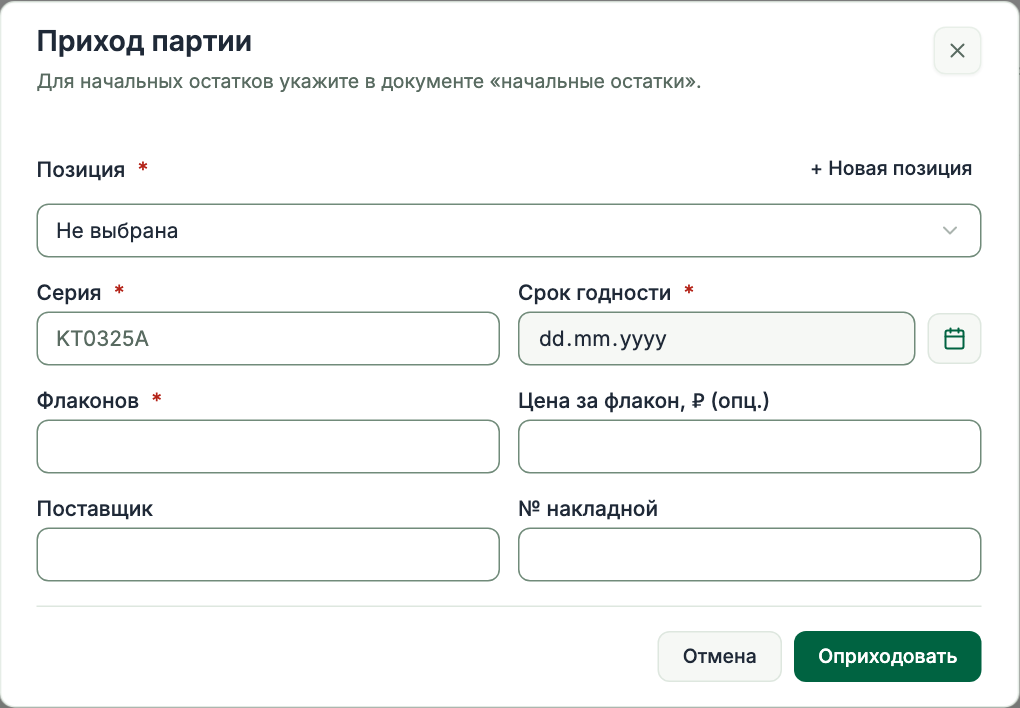
Illustrated with sample data
Compare the procedures booked at your clinic over several weeks. If demand for a particular scan stays high, reserve more time for it when you draw up the next schedule.
Look for days that fill up week after week. Before extending opening hours, check whether patients could be offered appointments on quieter days.
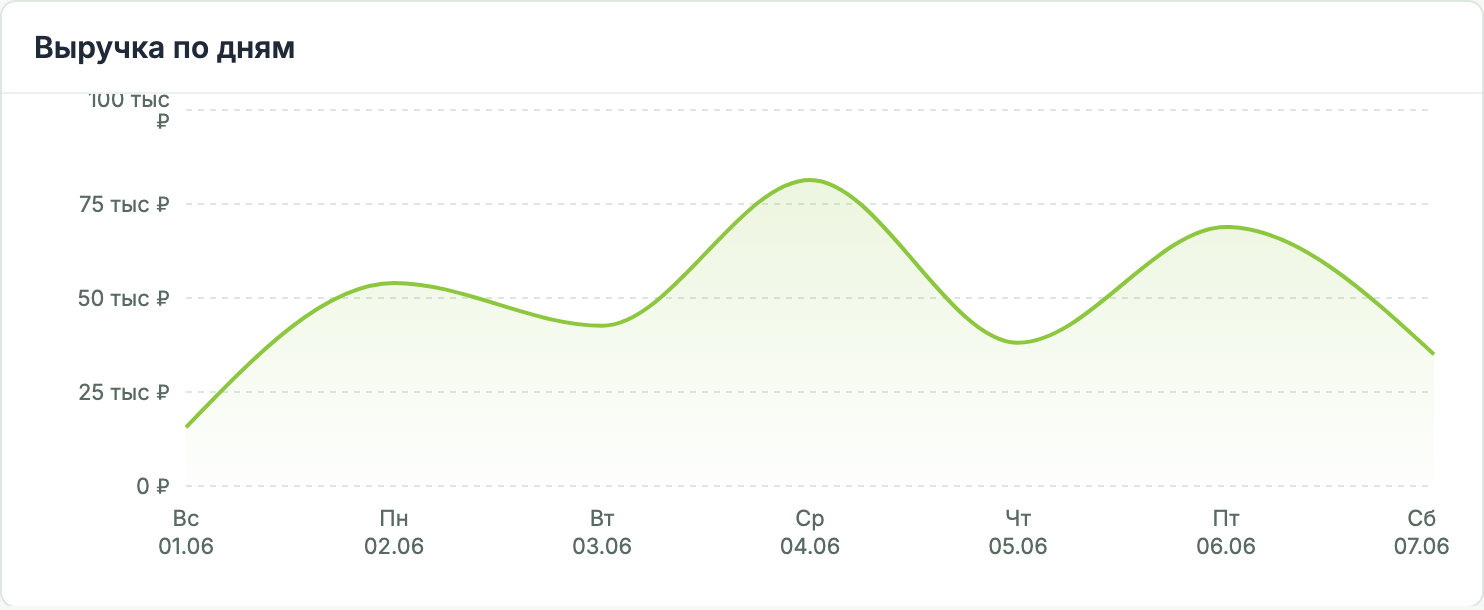
Compare examination volume with revenue from completed visits. Breakdowns by modality and payer help you see whether the mix of scans or the way patients pay has changed.
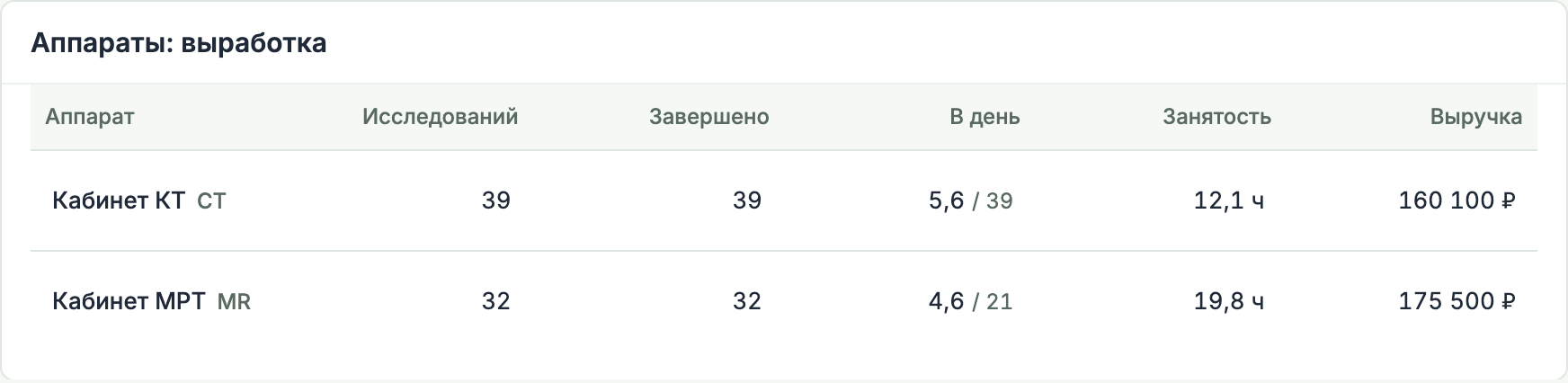
The same number of scans can take very different amounts of time. Compare booked hours for each scanner when deciding which room can take additional appointments.
If patients are waiting for results, the radiologist report shows time to sign-off and how many examinations have been waiting more than a day.
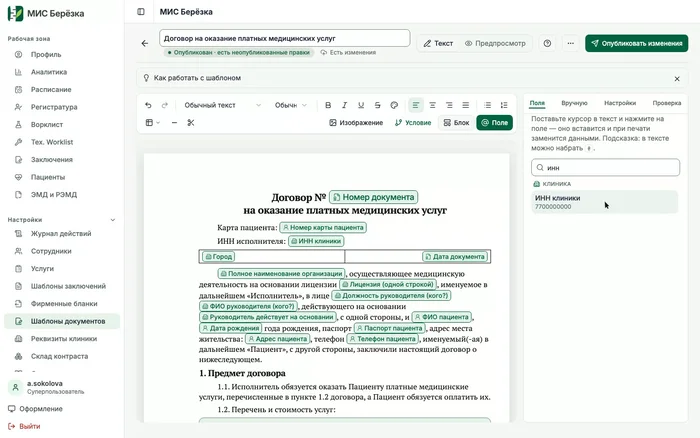
Add the patient record number and the clinic’s tax ID to the contract template. Berezka fills in both on the printed agreement.

Once the report is signed, staff can select the department’s letterhead without editing the report.
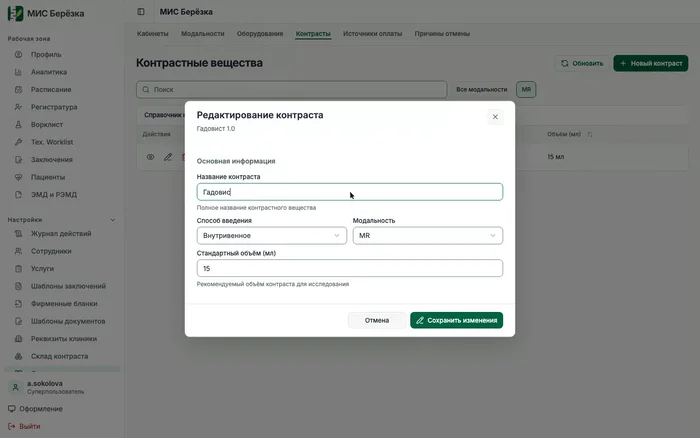
Set a default volume for each agent. Selecting the agent fills in that volume on the visit, and the technologist can adjust it to the amount administered.
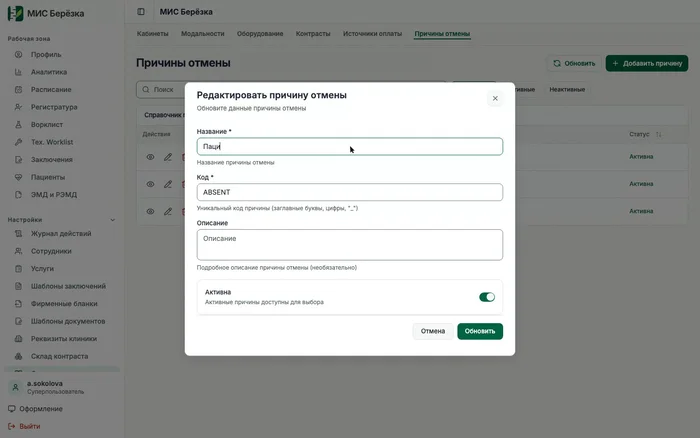
Give reception a common list of reasons so every shift records a missed appointment or a patient cancellation in the same way.
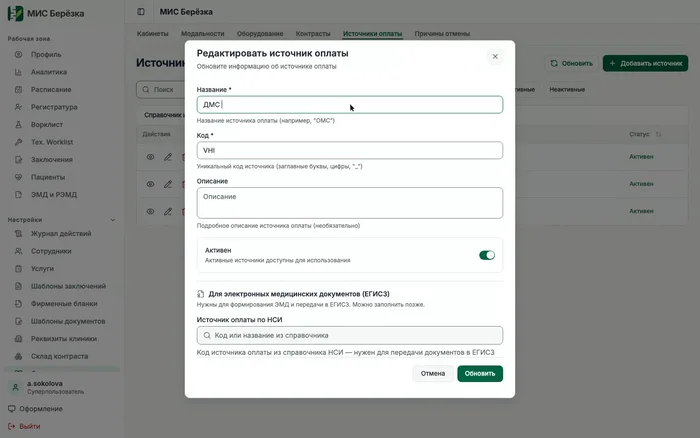
Reception records who is paying for the visit. The finance team can then see how much revenue came from insured visits, for example.
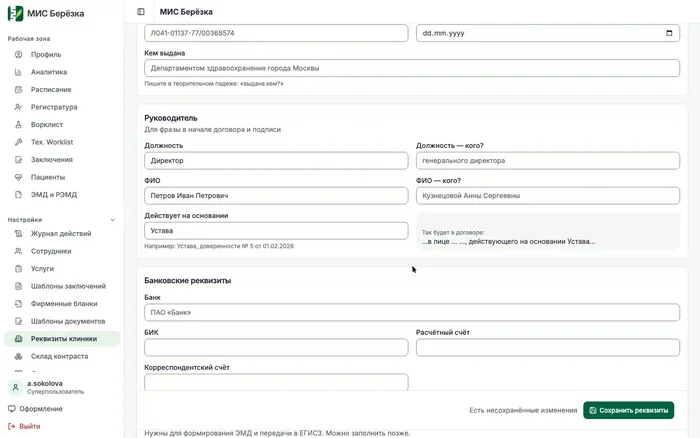
Contracts and service agreements can draw the address, bank details and signatory from the clinic profile, saving reception from copying them into each document.
MP4 ↓Sample letterhead · PDF (RU)Issued contract · PDF (RU)
Ask about pricing, discuss installation at your clinic or arrange a demo of Berezka.
Message received. We’ll be in touch.